
Put issues in their place
Add a pin or mark an area on the drawing. Record a defect, unfinished work, completed work or a safety concern.
Keep drawings, site issues and photos in one place. Mark a problem on the plan, track its repair and share progress with your team. Let AI help you understand the details.
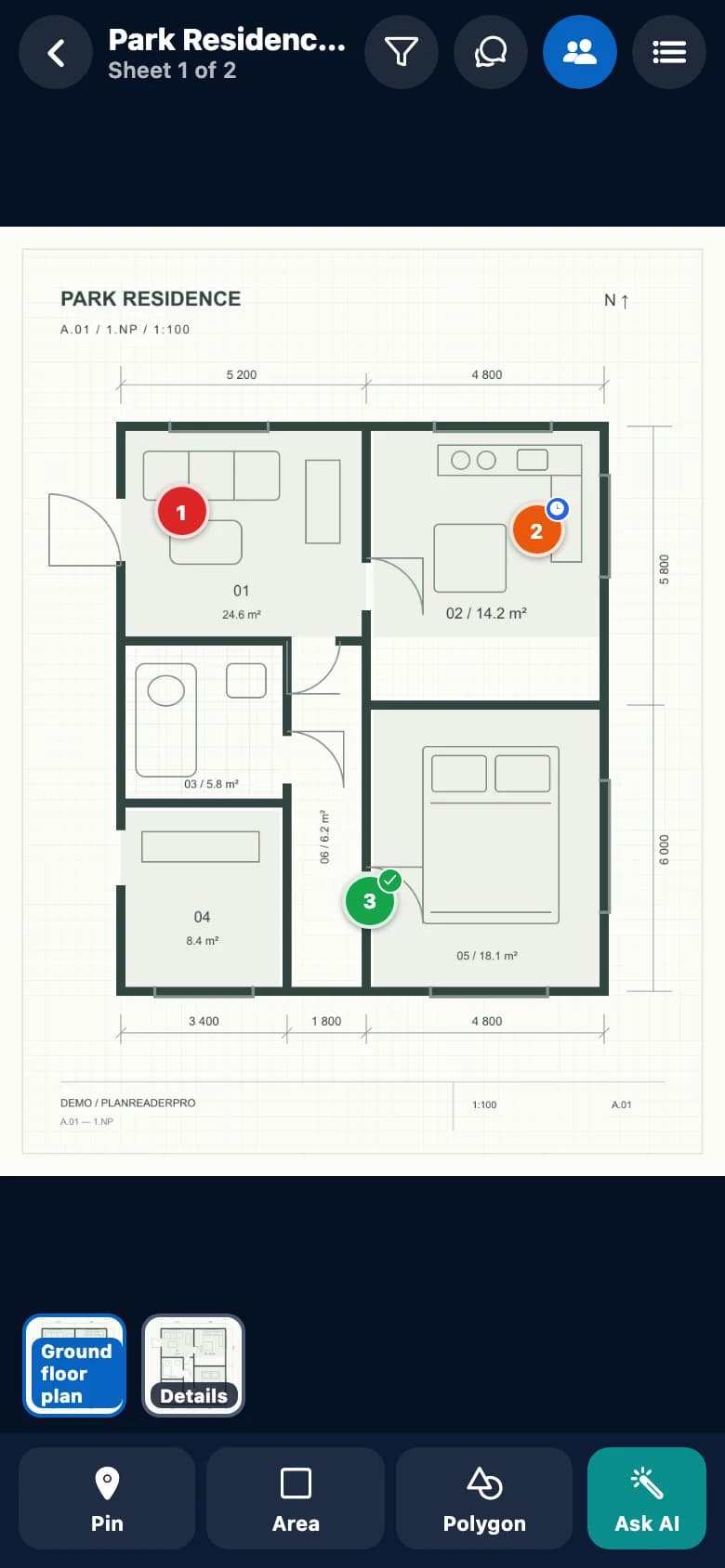
From the first drawing to the final handover.
Less searching. More clarity.
A note without a location. A photo without context. An issue without an owner. PlanReaderPro brings them together in a record your whole team can return to.
Add a pin or mark an area on the drawing. Record a defect, unfinished work, completed work or a safety concern.
Attach photos of the issue and the repair to the same record. Keep the evidence connected to its location on the plan.
Invite colleagues with a code. Choose who can edit records and who can view them. Changes are shared with plan members as work progresses.
Filter your records and create a PDF report with drawings, details and photos. Share it straight from your phone.
Take a look inside
01 / Plans and sheets
Import a PDF, photograph a drawing or scan its sheets. Switch between pages and zoom into the detail you need right now.
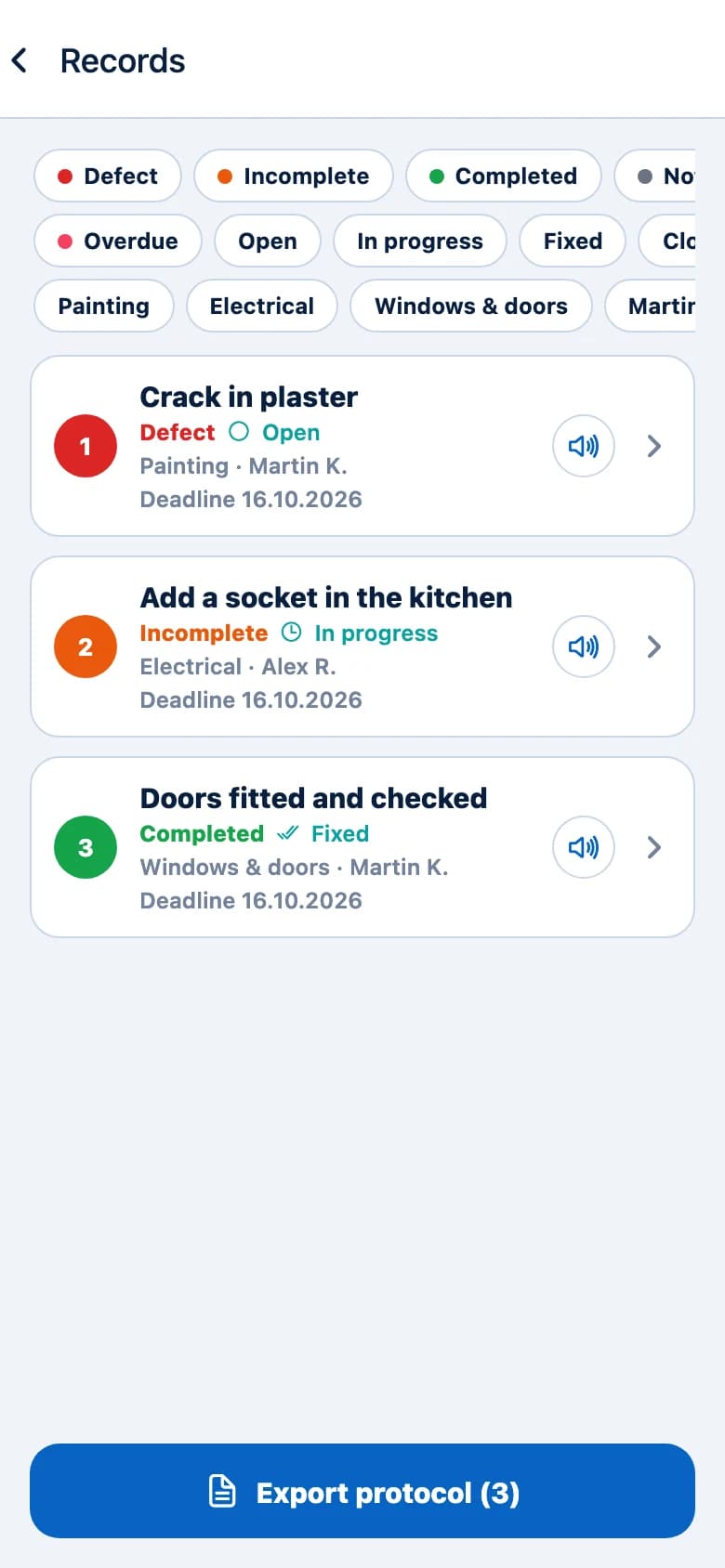
02 / Issues and work progress
Give each record a status, priority, due date and responsible person. See open tasks and completed work during your site inspection.
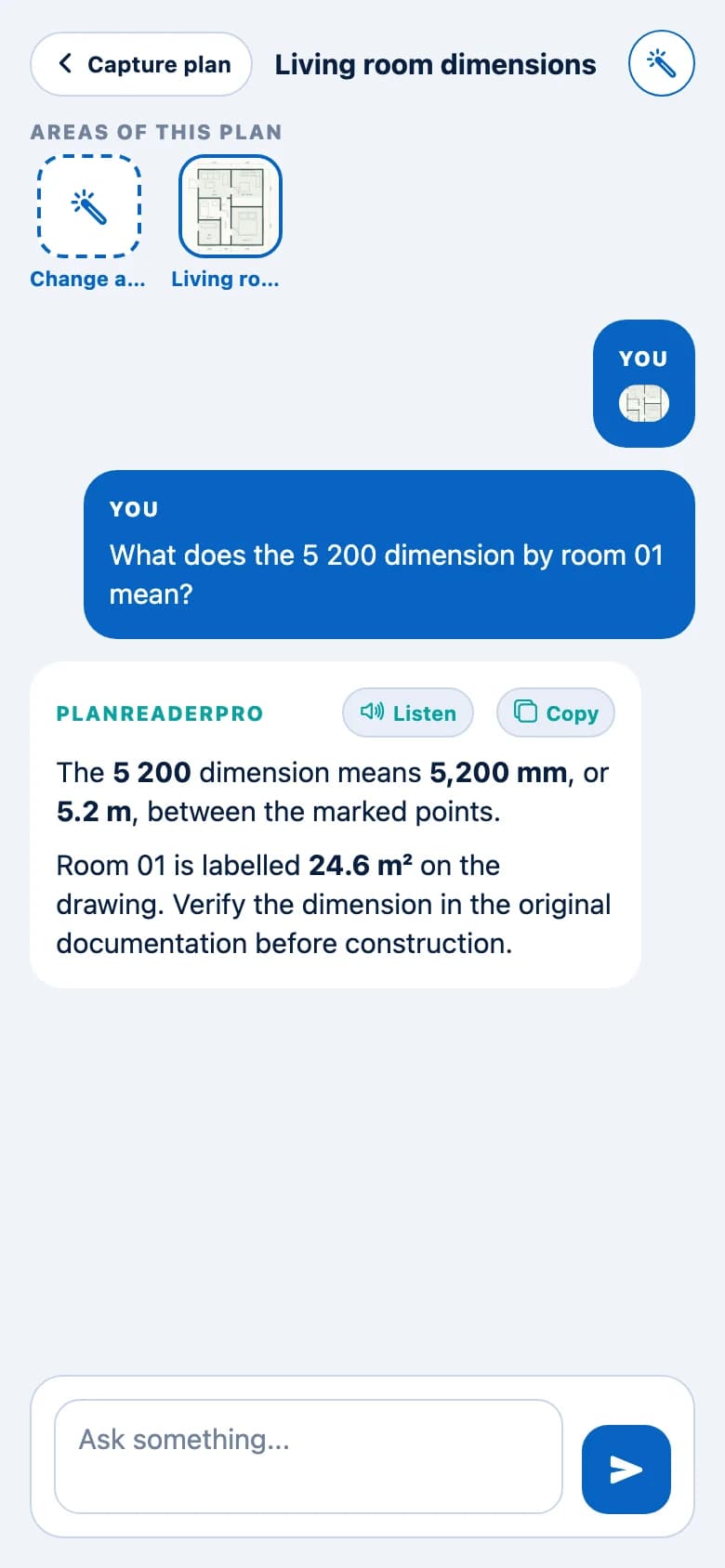
03 / Questions about the drawing
Mark a part of the plan and ask AI about a symbol, dimension or drawing context. Follow up with more questions in the same conversation.
AI can make mistakes. Always check dimensions and technical conclusions against the original documentation.
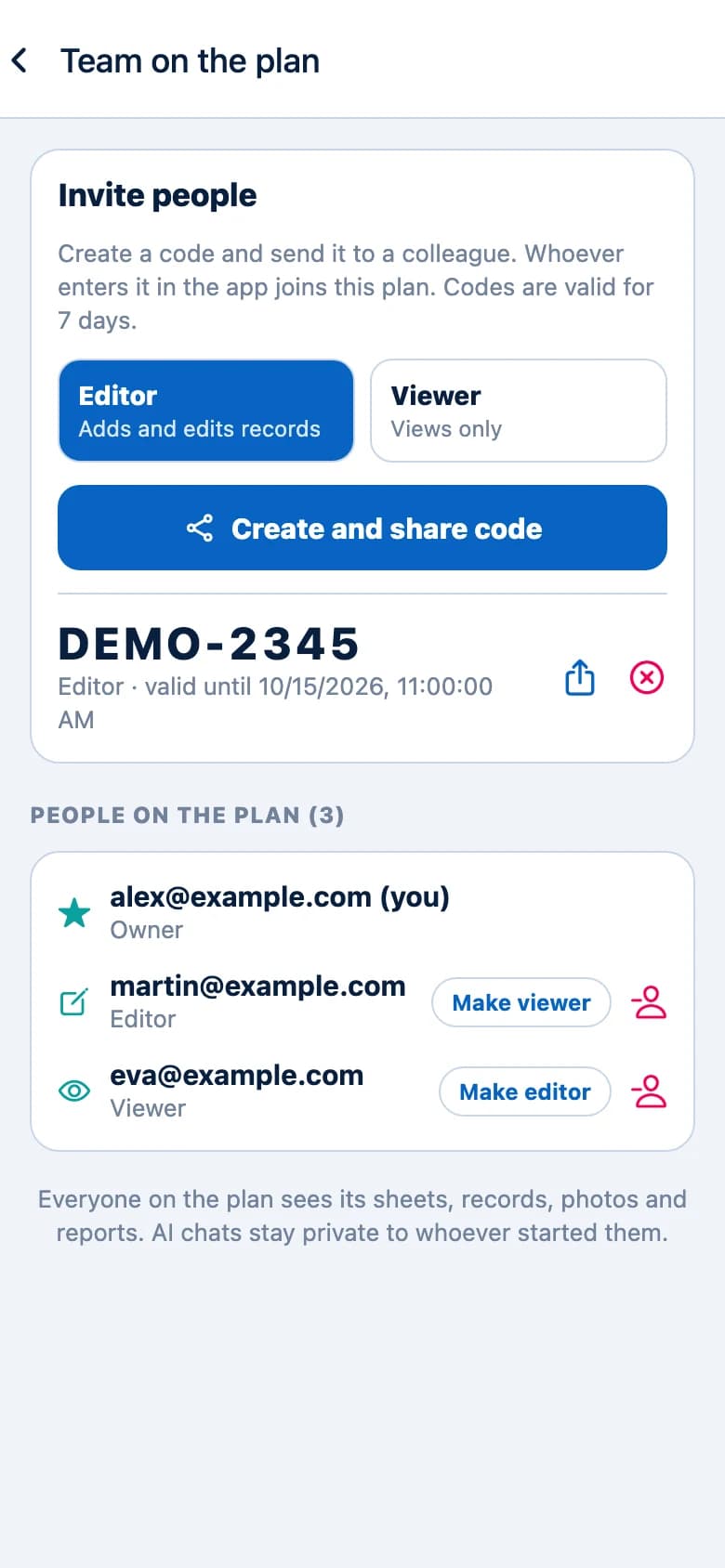
04 / Collaboration
The owner manages the plan and sharing. Editors can update records; viewers can read them. Give everyone the access their role needs.
A simple workflow
Choose a PDF, photo or scan. Even a multi-page drawing stays together in one plan.
Tap the plan, add a record and attach photos. Note what needs doing and who is responsible.
Update the status as work progresses, add a photo of the repair and keep your team up to date.
Filter the records you need, create a PDF and share documentation for your inspection or handover.
For the people building it
For anyone who needs to connect a construction drawing with what is actually happening on site.
Record issues, assign responsibility and prepare documentation from a site inspection.
Find your tasks directly on the drawing and document completed work.
Keep open items and handover documentation together in one place.
The app works with photos of drawings, scanned sheets and PDF documents. A PDF can contain multiple pages, shown as separate sheets within the same plan.
Defects, unfinished and completed work, observations and safety concerns. Each record has a location on a specific sheet and can include photos, status, priority, trade, a due date and a responsible person.
The owner creates an invitation code and chooses an editor or viewer role. Editors can change records; viewers can only read them. The owner manages sheets and access. AI conversations remain private to their author.
No. Plans, records, photos, team collaboration and PDF reports work independently. AI is an optional assistant for explaining drawing details, and its answers need to be verified.
The report includes drawings with marked locations, record details and attached photos. Before creating it, you can filter records by status, trade or responsible person, for example.
PlanReaderPro
Download PlanReaderPro for iOS or Android. Keep your construction drawings, records and site photos together in one place.